Supplier Transparency
Clarifies an important business outcome theme.
01 / Professional Project — Internal Business Application
From Material Receipt to Payment - Giving Suppliers Better Visibility
A supplier-facing visibility system that helps translate bill and payment follow-up into a structured, searchable digital channel.
01
A supplier-facing visibility system that helps translate bill and payment follow-up into a structured, searchable digital channel.
A supplier-facing digital platform providing visibility from material receipt and inspection through bill processing and payment, including detailed payment information and downloadable records.
02
Suppliers frequently need visibility across receipt, inspection, bill processing and payment release.
03
Create a supplier-facing digital channel providing convenient visibility into bill and payment status while reducing repetitive manual communication.
04
Supplier
Phone / Email Follow-up
Internal Status Check
Manual Response
Further Follow-up
05
A web-based tracking system allowing suppliers to search authorized bill information using transaction details.
06
Vendor Login
Goods Received
Inspection / Processing
Current Status
Expected Progress
Payment Released
Payment Details
Payment Advice / Vendor Ledger
07
08
Selected application screens illustrating the end-to-end workflow. Production-sensitive information has been excluded from the portfolio.
Entry & Search
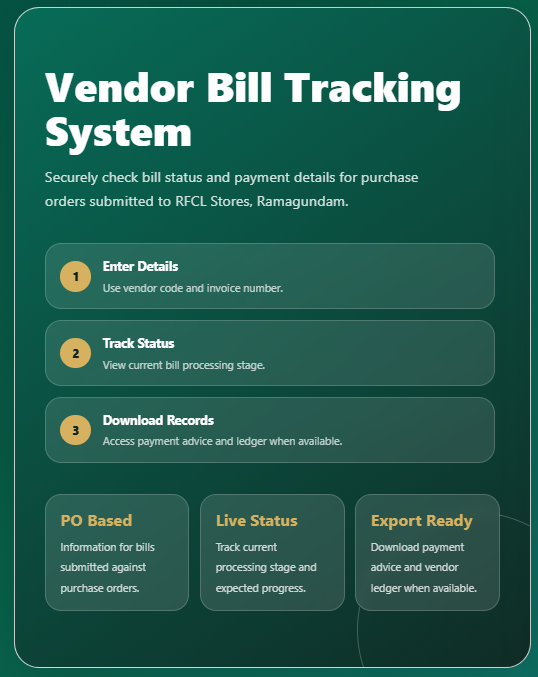
Introduces the three-step supplier journey: enter details, track status and access records when available.
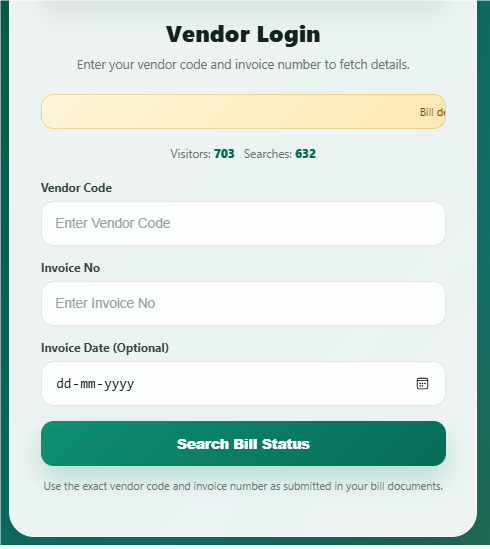
Provides the supplier-facing entry point for searching authorized bill information.
Processing Progression
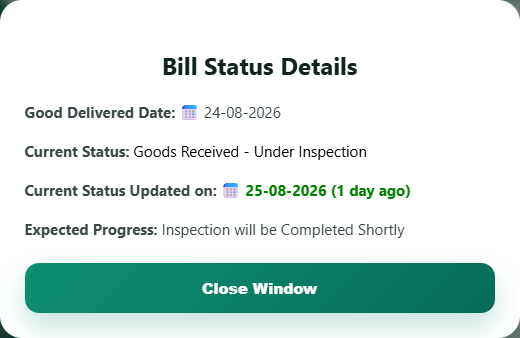
Example Stage: Goods Received - Under Inspection
Shows latest processing status after goods receipt while inspection is still in progress.
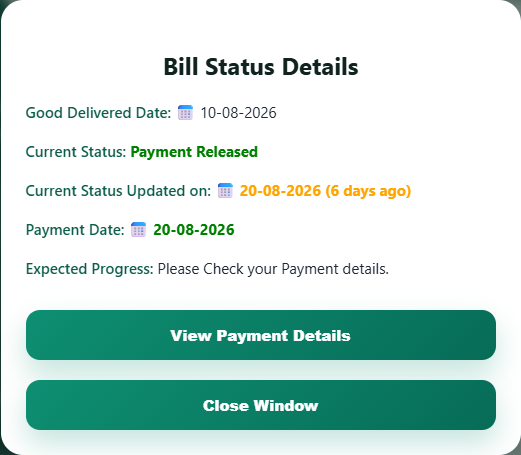
Shows the same tracking experience once payment visibility becomes available.
Payment Detail
Featured screen placeholder
Detailed Payment Information
A sanitized replacement is required before this payment-details screen can be rendered publicly.
Confidential fields withheld
A sanitized replacement is required before this payment-details screen can be rendered publicly.
Reserved for payment components, deductions, net payment details and downloadable records after processing.
Screens and transaction information shown on this portfolio have been sanitized for confidentiality.
09
A lightweight business application flow connecting supplier search, workflow logic, structured records and document outputs.
Layer 1
Supplier / Authorized User
Layer 2
HTML/CSS/JavaScript Interface
Layer 3
Google Apps Script Workflow Logic
Layer 4
Google Sheets Structured Records
Layer 5
Gmail / Document Downloads
10
Clarifies an important business outcome theme.
Reduces repetitive coordination effort.
Improves clarity for business users.
Improves clarity for business users.
Keeps information structured for later review.
Makes process status easier to understand.
11
12
The system was shaped from supplier communication patterns, bill-processing stages and payment-visibility needs before implementation decisions were made.
13
14
Potential Evolution